Test a collection story
Explore a location, model mood, and styling language before investing in a full fashion photoshoot.
Start from a product imageVirtual fashion photoshoots give design, ecommerce, and marketing teams a practical way to explore campaign imagery before a full studio production. With Fashn, turn a garment reference into polished scenes, model variations, and review-ready directions while the collection is still taking shape.
A useful virtual photoshoot is more than a striking first frame. It should preserve the garment, make the intended customer clear, and produce enough consistent material for a real decision. The table below turns a broad creative brief into a working output standard.
| Deliverable | What to define | Ready when |
|---|---|---|
| Garment fidelity | Silhouette, material, construction details, and colour stay recognisable. | A buyer can identify the source item without a second reference. |
| Creative direction | Location, light, styling, pose, and emotional tone support the collection. | The image communicates a specific campaign idea, not a generic look. |
| Variation set | Useful model, crop, pose, and background alternatives are planned together. | The team can compare options without losing the product story. |
| Channel fit | Outputs account for PDP, social, email, editorial, or internal review needs. | The selected frame has a clear next destination and crop. |
Explore a location, model mood, and styling language before investing in a full fashion photoshoot.
Start from a product imageShow how a garment might look on different shoppers and in more contexts without scheduling another set.
Explore virtual fitting roomsGive a client several campaign directions with a consistent product reference and a faster approval conversation.
Change the casting directionBuild a sequence of posts that feels like one campaign even when the pose, garment, or setting changes.
Build consistent model imageryCreate a controlled product reference first, then carry that foundation into editorial and on-model outputs.
Create a clean packshot baseEach item in the brief has a role. The garment anchors the image, the direction creates relevance, and the output specification makes the result usable. A virtual fashion photoshoot becomes easier to review when those layers stay visible instead of being blended into one vague prompt.
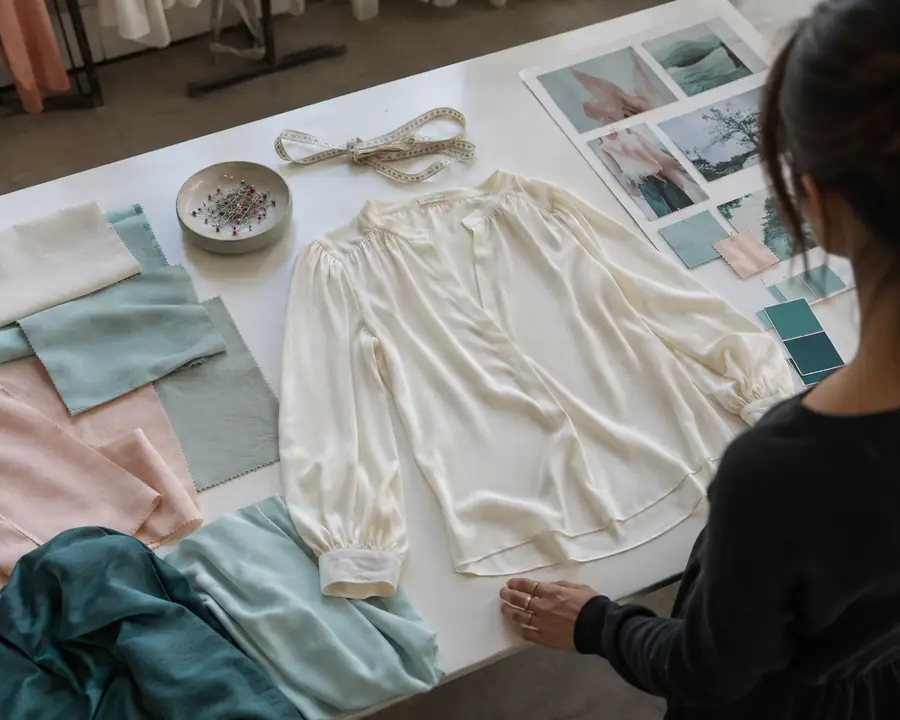
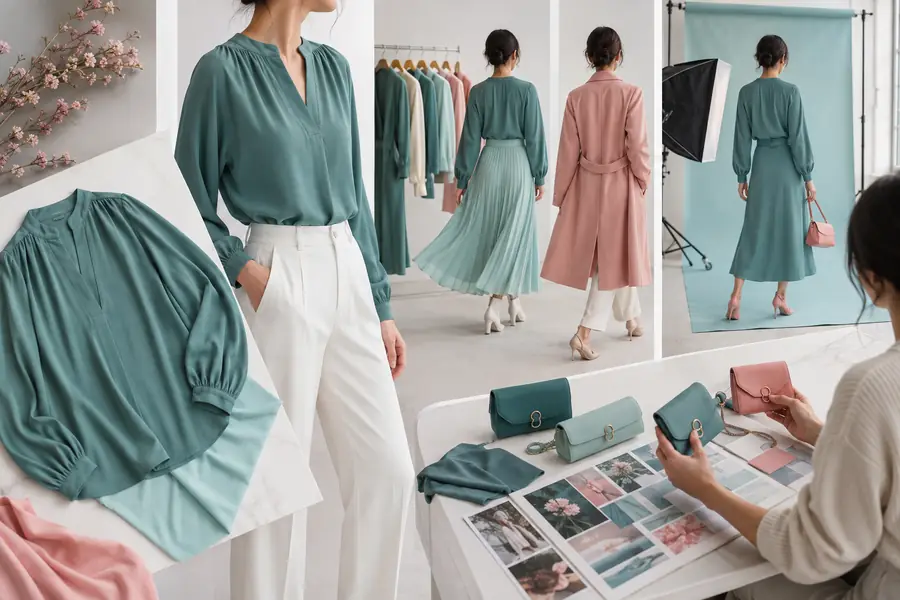
The strongest comparison is not simply a prettier frame. It shows that the item remains intact while the scene adds context: accurate proportions, believable fabric behaviour, and a composition that can move into review or production.
Name the fit, texture, details, and non-negotiable product features.
Set the season, environment, light quality, pose, and audience expectation.
Specify crop, orientation, quantity, and where the approved image will be used.
Set the quality bar before generating a batch. For a virtual fashion photoshoot, realism is only one part of the result; usefulness comes from consistency, product truth, and a clear reason for every frame.
If the garment needs more controlled presentation, start with product-to-model workflow before adding a location. If the experience is meant to help shoppers imagine themselves in the look, connect the approved direction to virtual fitting rooms. These steps keep creative exploration connected to a real customer or commerce outcome.
A useful review note says what should change and what must stay fixed. “Keep the jacket, model, and crop; move the light warmer” is actionable. “Make it more premium” is not.
Most rework starts before the first generation. The format has evolved because teams now need to move from an early idea to a focused visual system, not just produce one attractive image. The timeline below shows how the modern workflow became more deliberate.
Teams began using generative images to test mood, location, and styling before committing to a physical fashion photoshoot.
Merchandising teams pushed workflows to preserve actual cuts, textures, prints, and accessories instead of accepting approximate fashion imagery.
A campaign needed the same visual identity across several garments, poses, and crops, making model and scene continuity part of review.
Teams started defining whether a frame was for PDP, social, email, editorial, or client approval before generating variations.
The best teams preserve successful prompts, model references, crop rules, and approval notes so every new photoshoot starts with more useful context.
Before asking for more generations, identify whether the issue is product reference, casting, pose, environment, or crop. Changing several variables at once makes comparison difficult and sends the team back into the same rework cycle.
These answers cover the practical questions teams ask when replacing part of a traditional fashion photoshoot with a virtual workflow.
They are especially useful for early campaign exploration, product launches, assortment planning, client presentations, social concepts, and controlled on-model variations before a physical shoot is booked.
No. It is a strong complement for exploration and scalable content, while hero campaign moments, highly technical products, and final colour-critical assets may still benefit from physical production and human review.
Start with a clear garment image, the intended audience, a preferred setting or mood, and the output channel. Add details that must remain unchanged, such as a logo, neckline, print placement, or accessory.
Use Fashn upstream to narrow creative options, test casting and styling, and prepare a clearer shot list. The physical team can then spend its time capturing the directions that have already earned agreement.